
Getting started with Writually is easy. Below is a step-by-step guide to completing your first Writual or writing session.
Getting Started with Writually
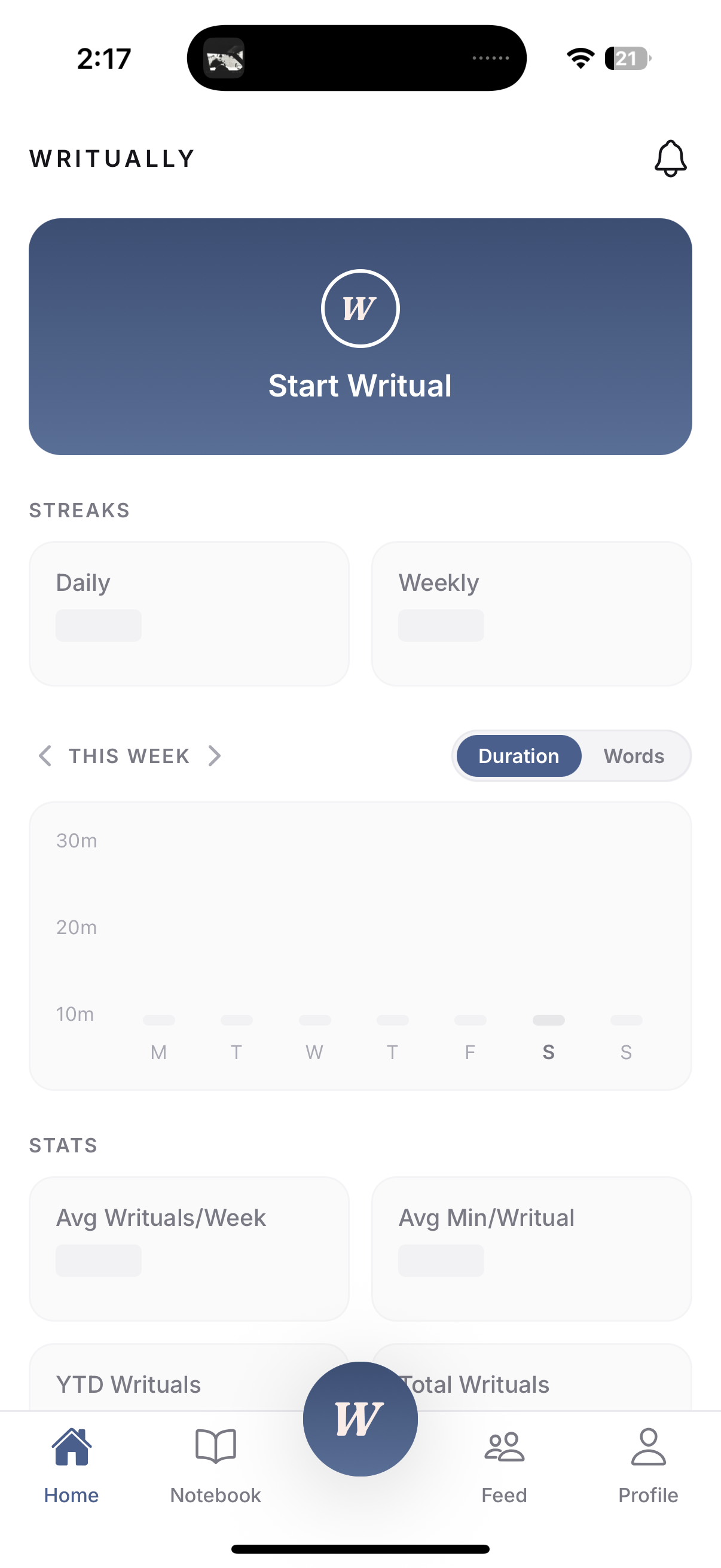
Click on the “Start Writual” or “W” buttons.
1
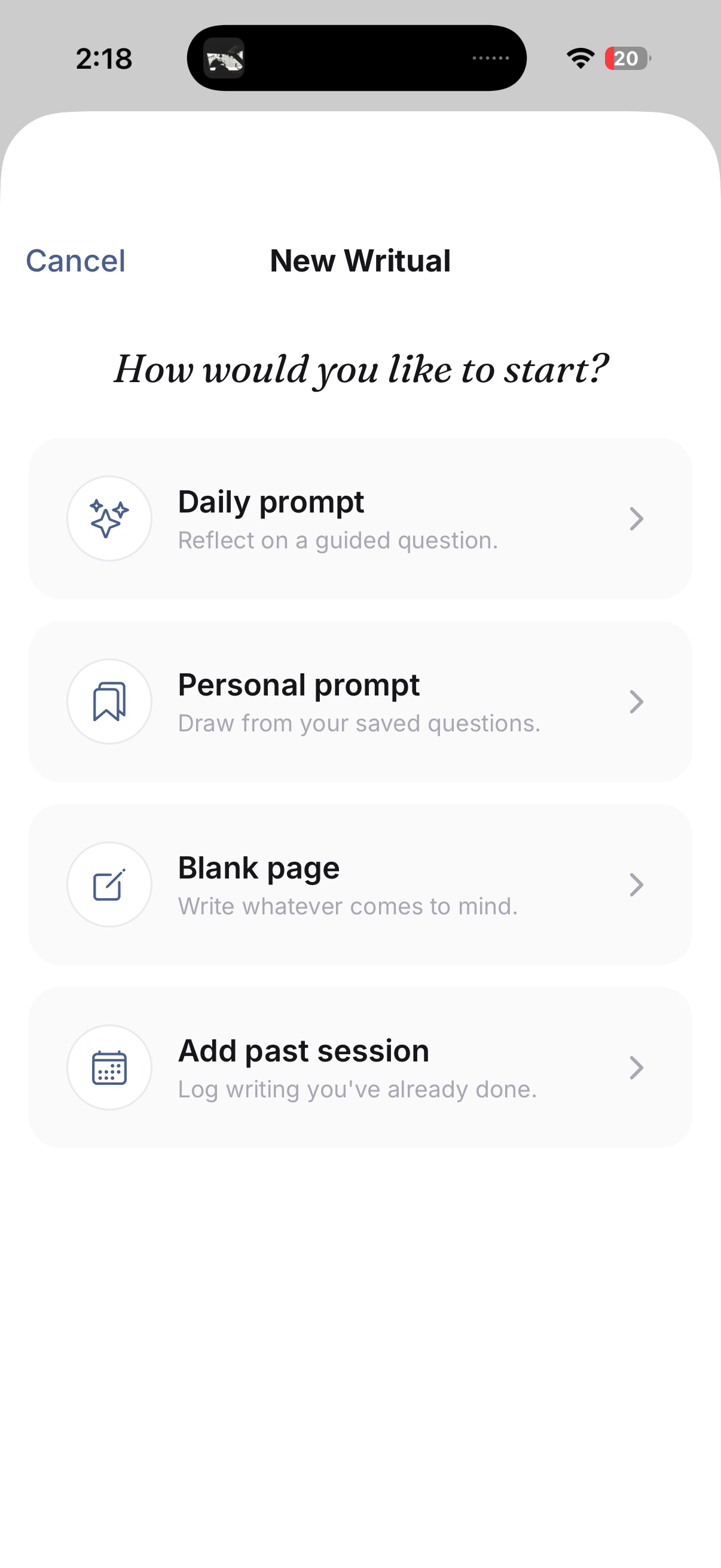
Choose a generic “Daily Prompt” or “Blank Page” for a free write.
Once your complete your first Writual, “Personalized Prompts” will be an option.
You can always log a Writual after the fact if you need to.
2
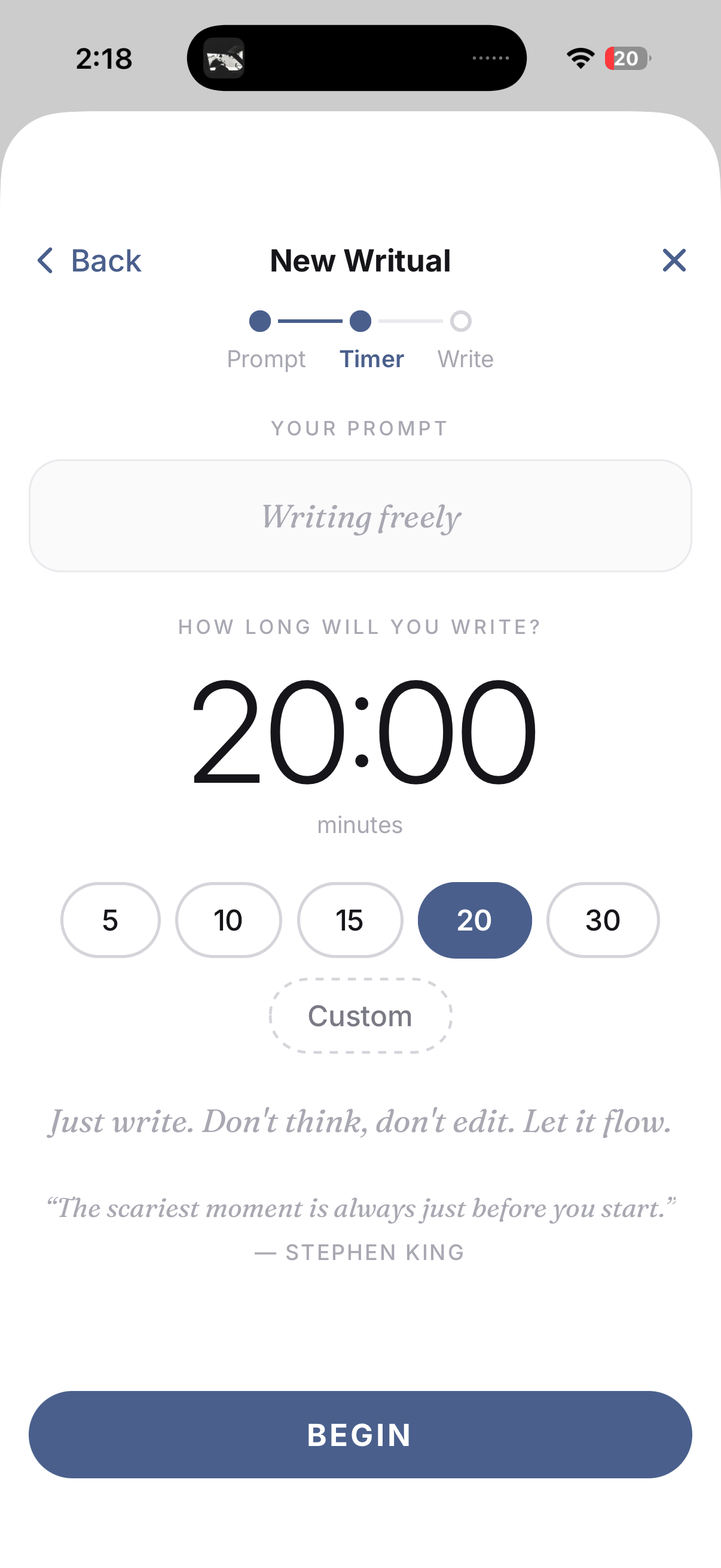
Choose how long you want to write and click “Begin.”
(You can finish early and add time as you go.)
3
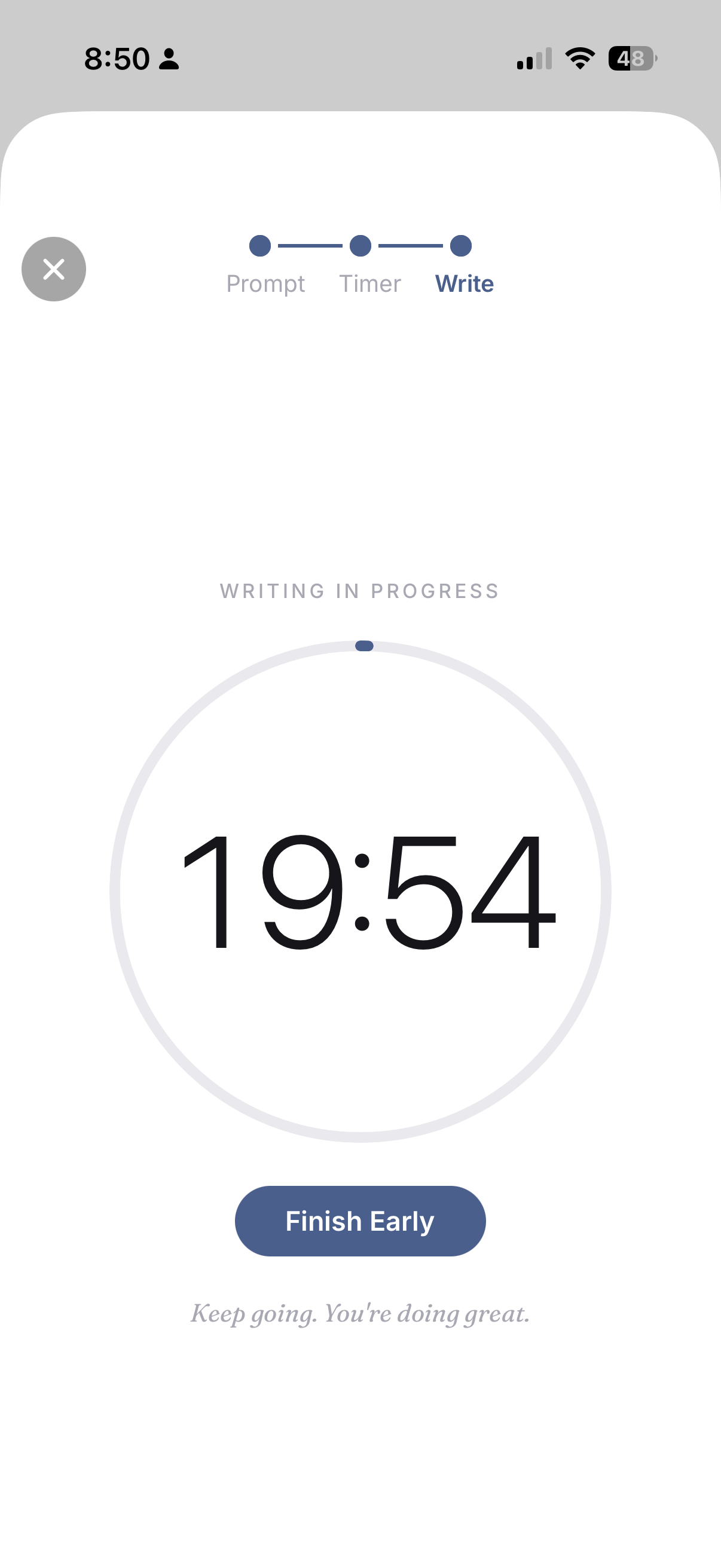
The timer counts down as you write. Just keep writing!
A haptic alarm will go off when your set time is up, but the timer will keep going.
Again, you can always Finish Early.
4
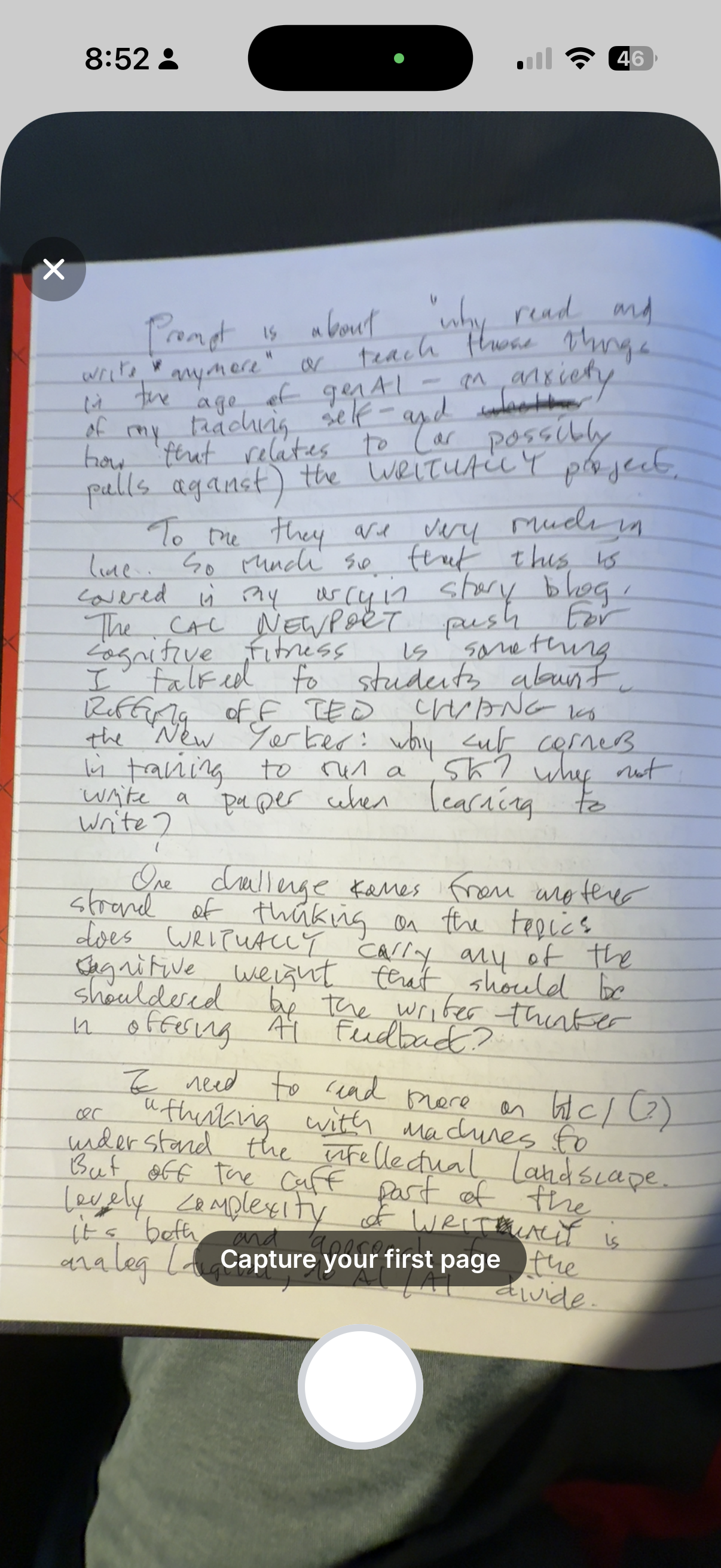
When you click “Finish,” you’ll be prompted to capture your pages with your camera.
Click through capturing each page your’ve written, one by one.
5
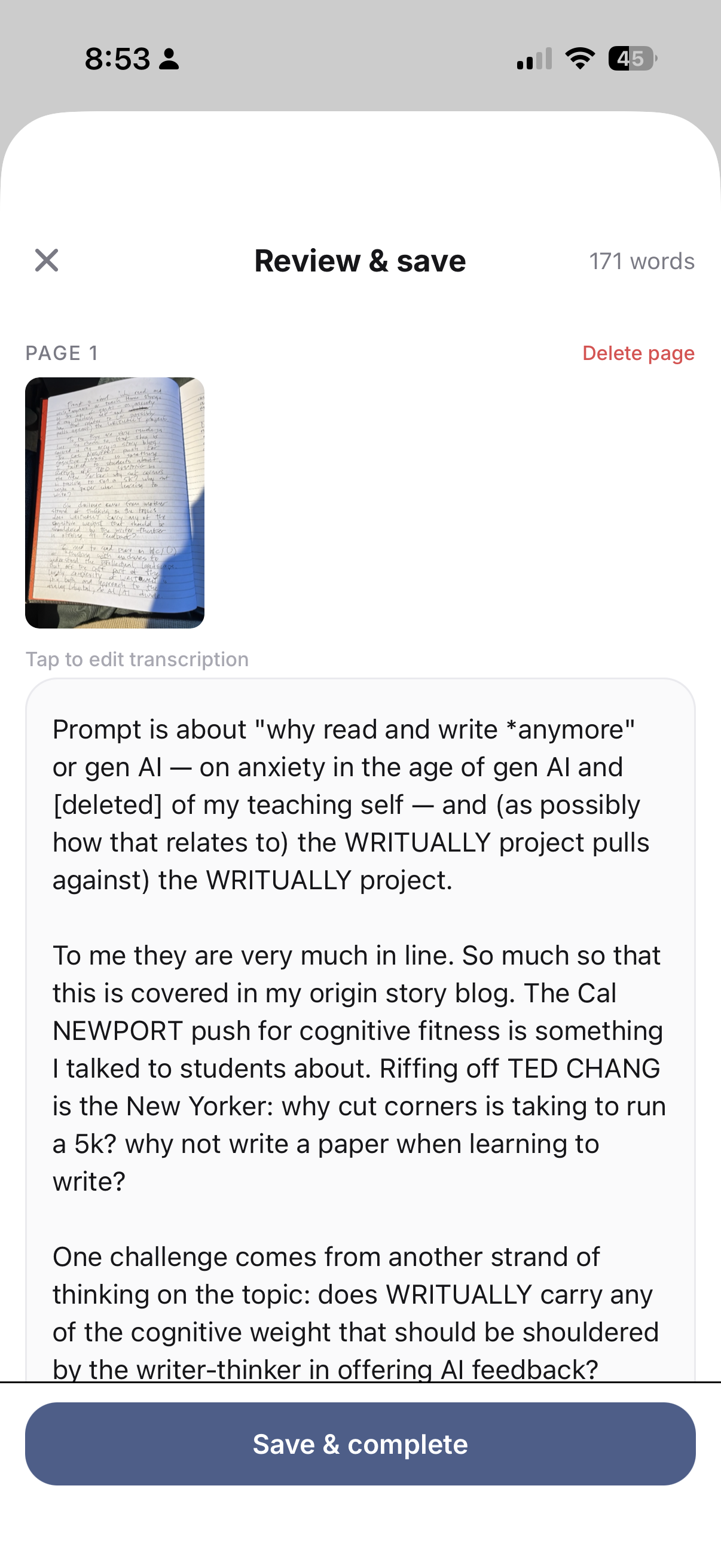
After you’ve photographed your pages, you have a chance to edit any mistakes in the transcription.
6
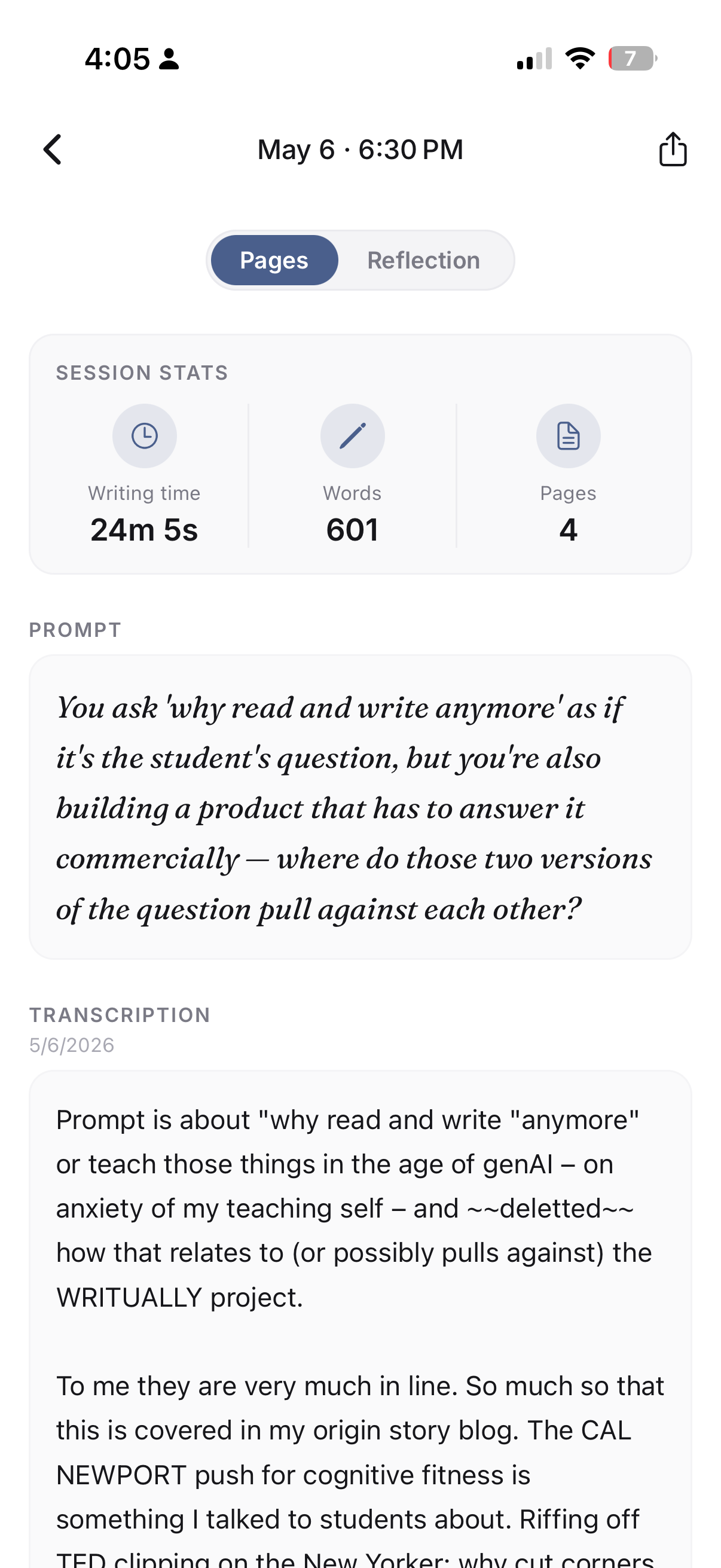
Once you’ve saved your pages, you can check out your “Session Stats” and “Transcription.”
7
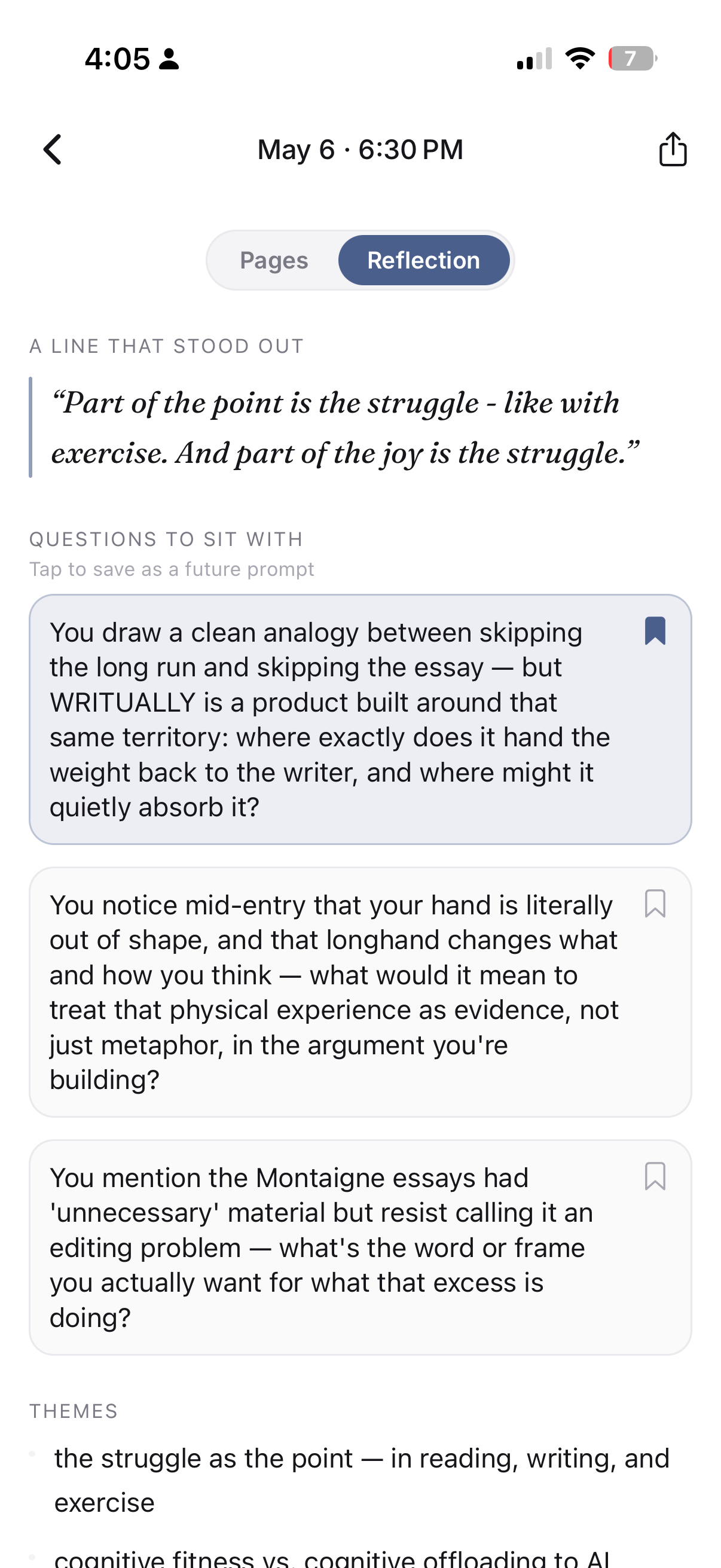
Toggle to “Reflection” for AI-generated reflection starter featuring:
“A Line That Stood Out”
“Questions to Sit with”
and “Themes”
You can choose another line if you like.
You can save questions and these will appears as optional personalized prompts for future Writuals.
8
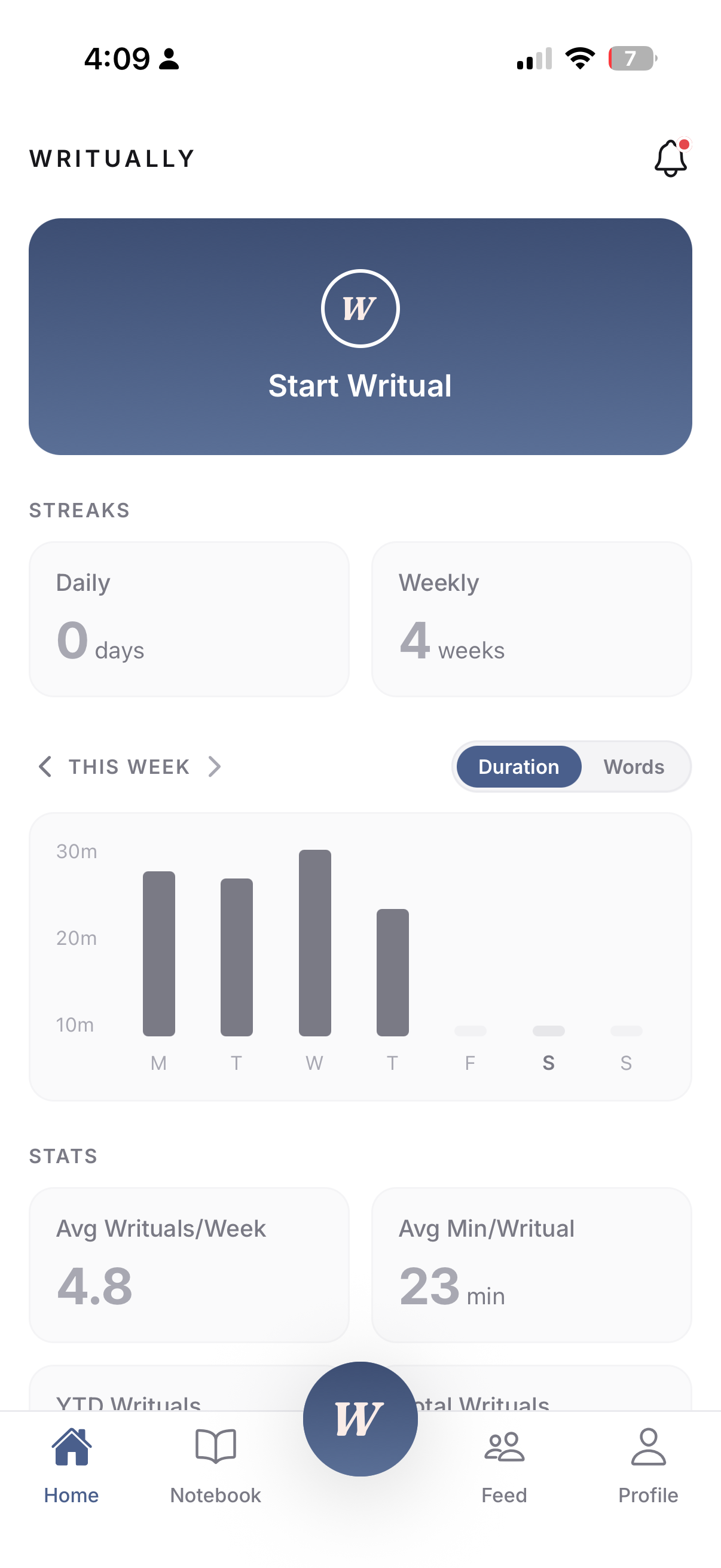
Your Writually stats will accumulate at the home page where you can start your next Writual!
9
Stay tuned for more tutorials on how to use Writually. For now, explore your Profile and Feed if you are interested in social activity. And come back tomorrow to keep your writing streak alive and your brain healthy!